
Guides
What are guides?
Guides are a feature of Controlify that shows hints to the player about what buttons to press to perform certain actions.
Since version 2.3.0, guides are data-driven, meaning you can override the default guides with your own.
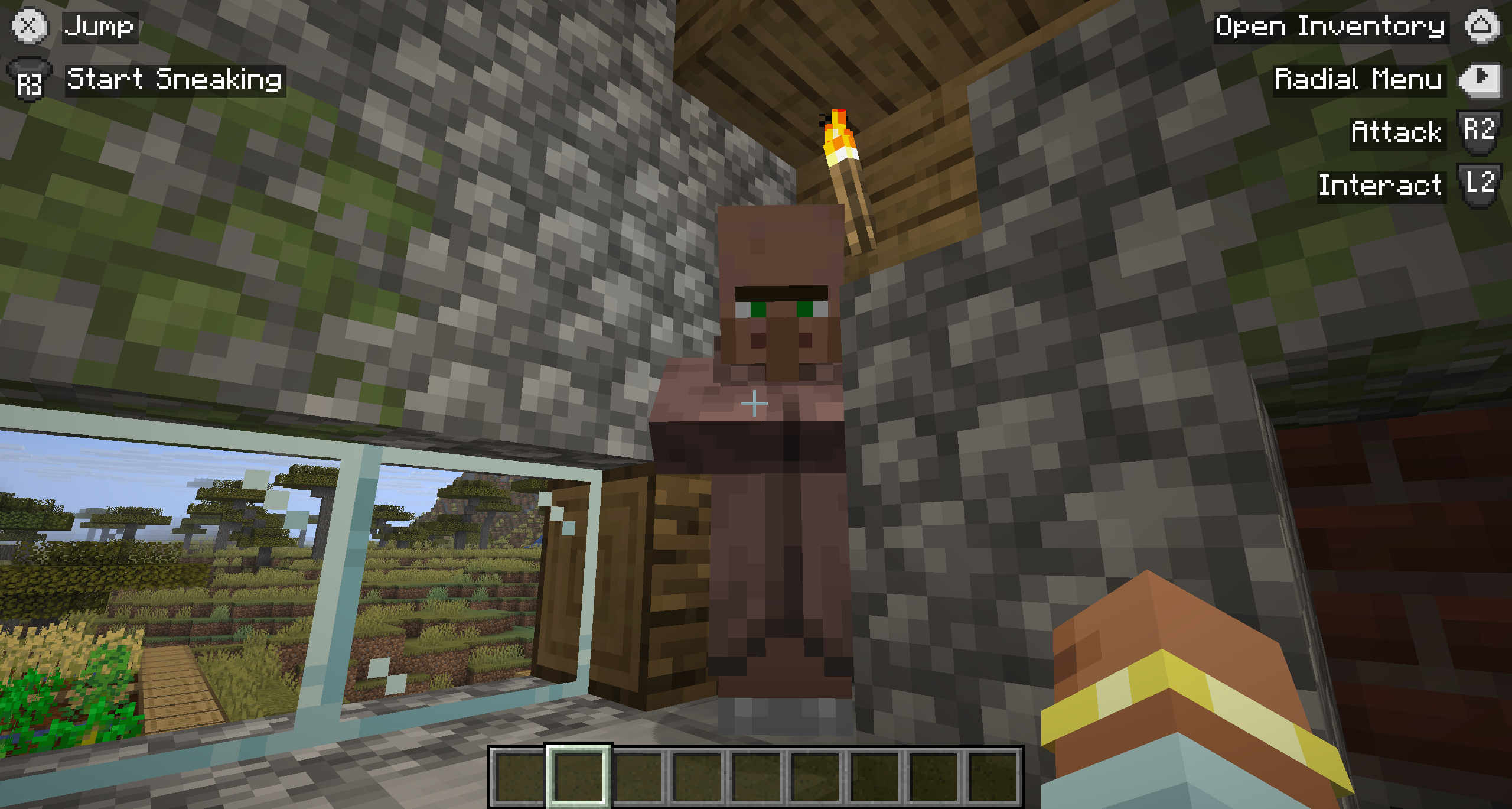
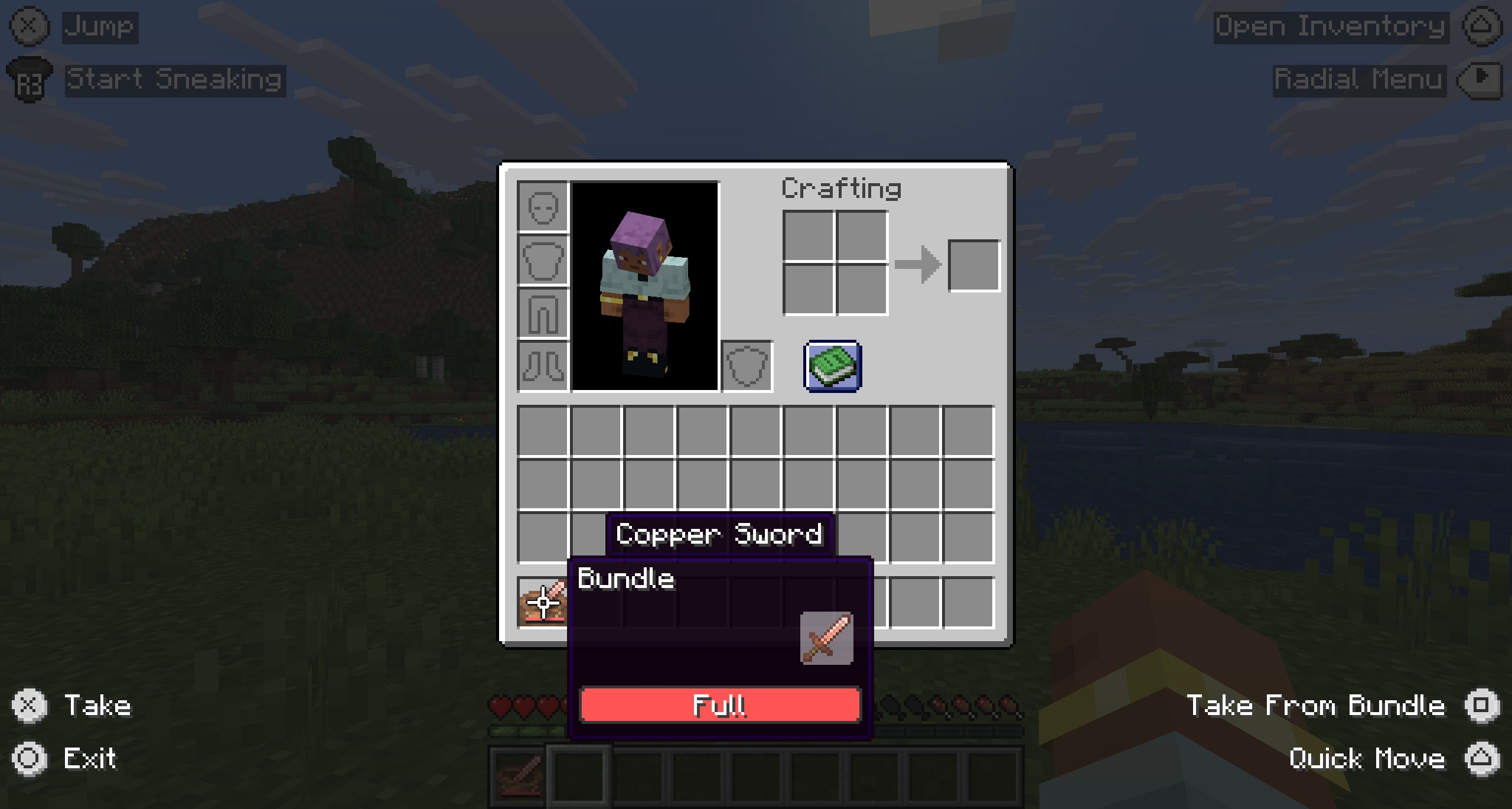
Concepts
There are three main concepts you need to understand to create your own guides.
- Fact
- A fact is a piece of information about the current game state.
- For example, the fact
controlify:on_groundis true when the player is on the ground.
- Rule
- A rule contains a list of permitting facts, and a list of forbidding facts.
- If all permitting facts are true and no forbidding facts are true, the rule is applied if its binding is bound.
- For example, a rule for
controlify:jumprequires the factcontrolify:on_ground, then show some text and the button glyph for the jump binding.
- Domain
- A domain contains all loaded facts and rules for a specific type of guide.
controlify:in_gameis a domain that has in-game specific facts, and rules to show when the player is in-game.controlify:containeris a domain that has facts and rules for when the player is in a container GUI, like the inventory or a chest.- For example, you wouldn't have a rule for
controlify:on_groundin thecontrolify:containerdomain, since it's irrelevant in a container GUI.
Creating custom rules
Controlify only allows resource packs to add and override rules, not facts or domains.
If Controlify does not have a fact for your specific use case, you must create a mod that adds the fact to Controlify, or submit a feature request to get it added to Controlify itself.
{
    "override": false,
    "rules": [
        {
            "for": "controlify:jump",
            "where": "left",
            "when": ["controlify:on_ground"],
            "forbid": [],
            "then": "Jump"
        }
    ]
}
This example shows a rule that applies when the player is on the ground, and the controlify:jump binding is bound. When the rule applies, it shows the text "Jump" and the glyph for the controlify:jump binding.
As well as literal text such as "Jump", Controlify supports the Minecraft text component format which allows you to use translations and styling. For example, you can use "then": {"translate": "mypack.jump"} to use a translation key sourced from your pack's language files.
A rule can be displayed either on the left or right side of the screen, this is defined by the "where" field.
Because "override": false, this resource pack will not override the default rules, but instead add an additional rule. If you want to override the default rules, or any resource pack below yours, set "override": true.
Stacking rules
You can stack multiple rules for the same binding, the first rule that succeeds will be applied, the rest will be ignored. However, if the rules have different locations (e.g. left and right), they will both be applied.
{
    "override": false,
    "rules": [
        {
            "for": "controlify:jump",
            "where": "left",
            "when": ["controlify:in_water"],
            "forbid": [],
            "then": "Swim Up"
        },
        {
            "for": "controlify:jump",
            "where": "left",
            "when": ["controlify:on_ground"],
            "forbid": [],
            "then": "Jump"
        }
    ]
}
In this snippet, the first rule will apply when the player is in water, and the second rule will apply when the player is on the ground.
Even when the player is in water and touching the ground, only the first rule will apply, because it is the first rule that matches its conditions.
Facts
Controlify has a set of built-in facts that you can use in your rules.
Below is a list of the built-in facts for each domain.
Common facts
These facts are available in all domains.
| ID | Description |
|---|---|
controlify:verbosity_full | When the guide verbosity level is set to full. |
controlify:verbosity_reduced_or_more | When the guide verbosity level is either full or reduced. |
controlify:verbosity_reduced_or_less | When the guide verbosity is set to reduced or less. |
controlify:verbosity_minimal | When the guide verbosity is set to minimal. |
controlify:in_game
| ID | Description |
|---|---|
controlify:on_ground | When the player is on the ground. |
controlify:in_vehicle | When the player is in a vehicle. |
controlify:riding_saddled_horse | When the currently ridden vehicle is a horse with a saddle. |
controlify:riding_happy_ghast | When the currently ridden vehicle is a Happy Ghast. |
controlify:flying | When the player is currently in creative flight. |
controlify:elytra_flying | When the player is currently gliding with an elytra. |
controlify:can_elytra_fly | When the player is in a state where pressing jump will cause the elytra to deploy. |
controlify:in_liquid | When the player is touching liquid, such as water or lava. |
controlify:in_water | When the player is touching water. |
controlify:under_water | When the player has their eyes underwater. |
controlify:in_lava | When the player is touching lava. |
controlify:sneaking | When the player is attempting to sneak (pressing the sneak key, or it is toggled on). |
controlify:is_toggle_sneak | When the player is using toggle sneak (does not mean it is currently toggled on). |
controlify:is_toggle_sprint | When the player is using toggle sprint (does not mean it is currently toggled on). |
controlify:sprinting | When the player is attempting to sprint (pressing the sprint key, or it is toggled on). |
controlify:input_moving | When the player is applying movement input—even if the player is not physically moving, if they're trying to, this fact goes. |
controlify:is_spectator | When the player is in spectator mode. |
controlify:is_creative | When the player is in creative mode. |
controlify:has_hearts | When the player is not invulnerable. |
controlify:is_adventure | When the player is in adventure mode. |
controlify:is_survival | When the player is in survival mode. |
controlify:looking_at_entity | When the player is currently looking at an entity and is in range to interact with it. |
controlify:looking_at_block | When the player is currently looking at a block and is in range to interact or destroy it. |
controlify:looking_at_air | When the player is neither looking at a block nor looking at an entity. |
controlify:has_item_in_either_hand | When the player has an item in their main hand or their offhand. |
controlify:has_item_in_mainhand | When the player has an item in their main hand. |
controlify:has_item_in_offhand | When the player has an item in their offhand. |
controlify:has_multiple_items_in_hand | When the player is holding an item stack with a count greater than one. |
controlify:container
| ID | Description |
|---|---|
controlify:hovering_slot | When the user is hovering their cursor over a slot. |
controlify:hovering_item | When the user is hovering their cursor over an occupied slot. |
controlify:hovering_many_items | When the user is hovering their cursor over an occupied slot which has more than one item in it. |
controlify:holding_item | When the user has grabbed an item and is moving it around with their cursor. |
controlify:holding_many_items | When the user has grabbed an item and is moving it around with their cursor, and that item has more than one in the stack. |
controlify:can_place_held_item | When the container allows the player to place down their held item into the currently hovered slot. |
controlify:cursor_outside_container | When the user is hovering their cursor outside the container interface. |
controlify:hovering_item_is_bundle | When the user is hovering their cursor over a slot which is occupied with an item tagged as a bundle. |
controlify:selected_bundle_slot | When the user is currently selecting an item from within the bundle they're hovering. |